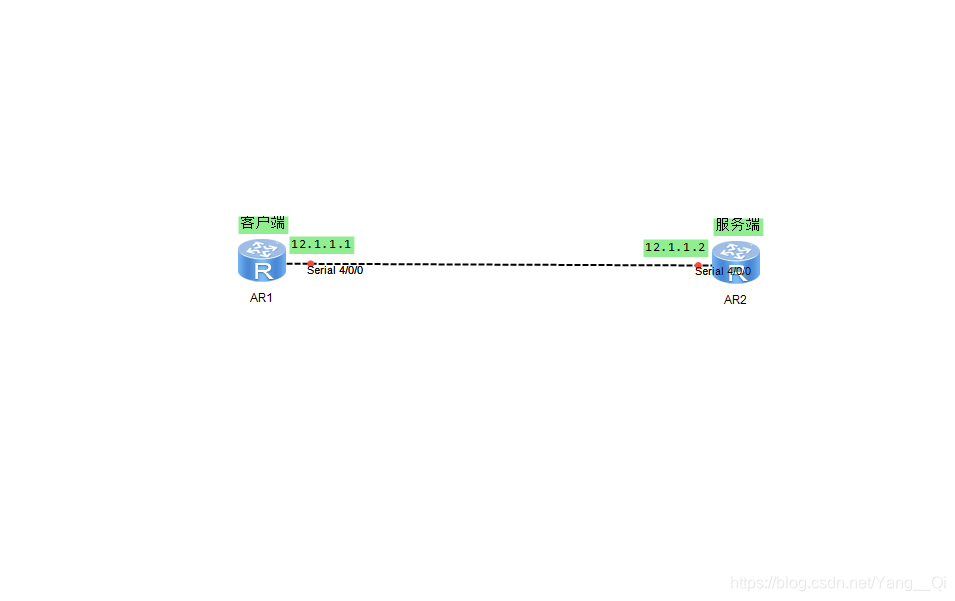
R1客户端(设置IP地址)
<Huawei>system-view //进入系统视图
[Huawei]undo info-center enable //关闭信息告警提示
[Huawei]sysname R1 //改名
[R1]interface s4/0/0 //进入接口
[R1-Serial4/0/0]ip address 12.1.1.1 24 //设置IP地址
[R1-Serial4/0/0]quit //退出
[R1]
R2服务器(设置IP地址)
<Huawei>system-view //进入系统视图
[Huawei]undo info-center enable //关闭信息告警提示
[Huawei]sysname R2 //改名
[R2]interface s4/0/0 //进入接口
[R2-Serial4/0/0]ip address 12.1.1.2 24 //设置IP地址
[R2-Serial4/0/0]quit //退出
[R2]
CHAP认证(三次握手,密文发送)
R2服务器(设置用户名和密码,认证模式)
[R2]aaa //进入aaa认证
[R2-aaa]local-user admin password cipher admin@123 //设置用户名和密码
[R2-aaa]local-user admin service-type ppp //设置认证模式
[R2-aaa]quit //退出
[R2]
R2(应用到接口)
[R2]interface s4/0/0 //进入接口
[R2-Serial4/0/0]ppp authentication-mode chap //开启chap认证
[R2-Serial4/0/0]dis th //查看接口信息配置
interface Serial4/0/0
link-protocol ppp
ppp authentication-mode chap
ip address 12.1.1.2 255.255.255.0
#
return
[R2-Serial4/0/0]quit
[R2]
此时:可以shutdown接口然后再undo shutdown检测
R1客户端(chap认证)
<R1>system-view //进入系统视图
[R1]interface s4/0/0 //进入接口
[R1-Serial4/0/0]ppp chap user admin //认证用户名
[R1-Serial4/0/0]ppp chap password simple admin@123 //认证密码
[R1-Serial4/0/0]quit //退出
[R1]
R1客户端(设置IP地址)
<Huawei>system-view //进入系统视图
[H


